
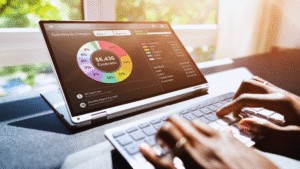
Budgeting can be straightforward with the right tools. Many people struggle to keep track of their finances, but effective budgeting apps and software simplify this task by organising expenses and income clearly.
The best tools for easy and effective budgeting combine simplicity with powerful features like automatic tracking, custom categories, and real-time updates. These tools help users stay on top of their spending without becoming overwhelmed.
Choosing the right budgeting tool depends on individual needs and preferences, but reliable options provide clear insights that make managing money less stressful and more efficient. Readers will find practical recommendations that suit various budgets and lifestyles.
Core Features of Effective Budgeting Tools
Effective budgeting tools combine functionality that simplifies tracking and controlling finances while protecting sensitive information. Key features include seamless data import, precise spending categorisation, and robust security measures.
Automation and Integration Capabilities
Automation saves users time by automatically importing transactions from linked bank accounts through open banking protocols. Budgeting apps that support automatic transaction imports reduce manual data entry errors and ensure up-to-date records.
Integration with multiple financial institutions allows users to view all accounts in one place. Tools that update balances and transactions in real time provide a clearer financial picture, enabling quicker decision-making.
Some budgeting software offers bill reminders and automatic categorisation based on user behaviour. These features streamline ongoing budget management and help avoid missed payments or overspending.
Expense Tracking and Categorisation
Accurate spending categorisation is essential for understanding personal finance patterns. Effective budgeting tools assign transactions to categories like groceries, utilities, and entertainment automatically, with options for manual adjustments.
Customisable categories let users tailor budgets to their lifestyle, improving tracking accuracy. Visual summaries, such as charts or graphs, highlight areas of high expenditure and opportunities to save.
Some tools use AI to detect unusual spending or suggest budget adjustments, helping maintain control over finances. Clear, detailed expense reports facilitate better planning and financial discipline.
Security and Data Protection
Data security is critical when budgeting tools access sensitive financial information. Reliable apps use encryption standards like AES-256 to protect data both in transit and at rest.
Two-factor authentication (2FA) and biometric logins provide additional layers of security, preventing unauthorised access. Users should choose tools that comply with data protection regulations such as GDPR.
Transparent privacy policies assure users that their data will not be shared with third parties without consent. Regular security updates from vendors help maintain safe environments for personal finance management.
Top Budgeting Apps and Software for 2025
Effective budgeting tools combine ease of use with robust features like expense tracking, goal setting, and account syncing. Options range from free apps to sophisticated software, catering to various needs and financial habits.
Best Free and Paid Budgeting Apps
You Need a Budget (YNAB) remains widely regarded for its proactive approach to budgeting. It focuses on giving every pound a job and offers strong goal-setting features. YNAB’s paid subscription includes personalised support and in-depth financial education.
Mint offers a free platform with automatic transaction categorisation and credit score monitoring. It works well for users seeking a comprehensive overview without fees.
PocketGuard and Goodbudget offer simpler, envelope-style budgeting. PocketGuard is free with a premium option; Goodbudget is popular for couples managing shared finances.
EveryDollar, developed by Dave Ramsey’s team, uses a zero-based budgeting method and has both free and paid versions. The paid plan provides bank syncing for automatic transaction import, saving time on manual entry.
Popular Banking Apps with Budgeting Features
Digital banks like Revolut, Monzo, Starling Bank, and Monese have integrated budgeting tools that automatically track spending categories. They offer real-time notifications and personalised insights based on transaction patterns.
Money Dashboard connects multiple UK accounts to give an aggregated financial view. It is free and particularly useful for those wanting a simple but holistic insight.
These apps help users by categorising expenses and setting monthly limits, reducing the need to switch between multiple platforms for financial management.
Spreadsheet and Desktop Budgeting Options
Quicken remains popular as an all-in-one budgeting software with detailed reporting and investment tracking. It is best suited for those comfortable with desktop applications and willing to pay for deep functionality.
Spreadsheet budgeting, using templates from providers like NerdWallet or Monarch Money, appeals to users who prefer customisable tracking and full control over their budgets. These require manual entry but allow detailed personalisation.
Personal Capital and Empower Personal Dashboard blend budgeting with investment management, useful for users who want to track net worth alongside monthly spending.
Selecting the Right Tool for Your Financial Goals
Choosing the right budgeting tool depends heavily on personal preferences and specific financial objectives. Understanding how various tools align with different budgeting methods, goal-setting features, and collaborative needs ensures effective budget management.
Assessing Your Budgeting Approach
The budgeting approach determines which tool will be most effective. For those interested in zero-based budgeting, tools that allow assigning every pound a purpose before expenses are ideal. Alternatively, apps supporting category budgeting help users allocate funds across distinct budget categories like groceries, utilities, and entertainment.
Some prefer flex budgeting, which adjusts categories based on fluctuating monthly income. In this case, a tool with customisable budget categories and easy reassignment features is crucial. Envelope budgeting tools are suited to users who prefer managing physical or virtual envelopes for spending limits in distinct areas. He or she should choose a tool that closely matches their preferred style to streamline budget creation and tracking.
Goal-Setting and Tracking Progress
Financial goal-setting is key to effective budgeting. The right tool offers clear interfaces to set and track short-term and long-term saving goals. Features such as visual progress bars and milestone notifications help users maintain motivation.
Tools that integrate goal-setting into the budget planning process make it simpler to prioritise spending and adjust budgets accordingly. This is especially important for users focusing on multiple goals, including emergency funds, debt repayment, or investing. A good budgeting app should also provide detailed reports showing how spending affects progress toward financial goals.
Shared and Family Budgeting Features
Managing budgets with others requires tools that support shared access. Couples or families benefit from platforms that allow multiple users to update and monitor a common budget in real time.
Shared budgeting features facilitate coordinated budget planning by synchronising spending categories and shared goals. Look for tools with user-specific permissions to control who can edit or only view budgets. Transparency in family budgeting helps prevent misunderstandings and encourages collective responsibility for savings and expenses. Features such as joint account tracking and messaging within the app can further aid collaborative budgeting efforts.
Maximising Benefits: Advanced Features and Personal Finance Insights
Effective budgeting tools offer more than basic expense tracking. They integrate advanced features like investment monitoring, debt strategies, and customised financial advice. These capabilities help users optimise their money management with clear, actionable data.
Net Worth and Investment Tracking
Tracking net worth provides a comprehensive view of financial health. The best tools link multiple accounts, including investment accounts, to calculate total assets minus liabilities automatically. This feature updates in real-time, allowing users to observe progress as investments grow or debt reduces.
Investment tracking within budgeting apps highlights portfolio performance alongside regular income and expenses. This helps users see how investment gains impact overall finances, enabling better decisions. Some tools also offer spending analytics that compare investment returns to expenditure patterns.
By combining net worth tracking with detailed investment insights, users get a fuller picture of their financial situation, aiding long-term planning and emergency fund growth.
Debt Management and Bill Reminders
Robust budgeting apps include debt repayment planning tools. Users can set debt payoff plans, targeting specific loans and prioritising payments to reduce interest costs efficiently. Many apps offer visual progress trackers showing how close users are to becoming debt-free.
Bill reminders and automatic bill payment features reduce missed payments, avoiding late fees. Some tools provide bill negotiation assistance, suggesting opportunities to lower recurring costs. Notifications prompt timely bill payments and can help with managing cash flow.
Integrating debt management with expense categorisation improves understanding of spending habits relating to loan repayments and everyday bills. This supports financial planning focused on reducing liabilities steadily.
Financial Insights and Guidance
Advanced budgeting tools deliver tailored financial guidance based on spending trends and cash flow patterns. They generate insights such as recommended target budgets for different categories or alerts when spending exceeds typical limits. This helps users stay on track with their financial goals.
Some apps include automatic savings or autosave features, transferring small amounts regularly to savings or emergency fund accounts. These features encourage disciplined saving without requiring manual effort.
In-app financial advice may suggest strategies like building an emergency fund, adjusting bill payment dates for better cash flow, or setting up investment accounts for long-term growth. The combination of data-driven insights and actionable recommendations supports proactive money management.

Comments